Tidy files
“File the screenshots on my desktop by date.”
Coming soon · macOS / Windows / Linux
A desktop AI assistant built for everyone. It looks at the screen, tries like a person, checks the result and remembers what worked. No plugins to install, no models or keys to configure — just tell it what you want done.

 Koko
KokoMove last week’s PDFs from Downloads into Documents/Invoices
Looking through Downloads…
Found 8 PDFs from last week
Moving them to Documents/Invoices
Done — 8 files are now in Documents/Invoices. Want me to sort them by month too?
What it does
The desktop, apps, files, the browser, system settings — anything you’d do with a mouse and keyboard, you can hand to Koko.
“File the screenshots on my desktop by date.”
“Turn on night mode automatically at 10 pm.”
“Fill in this form on the website for me.”
“Merge these documents into one PDF and send it to me.”
How it works
Turns your sentence into a clear goal, and asks when something is unclear.
Works out what to do first and what comes next.
Vision, UI structure and OCR let it operate any app like a person.
Checks every step really happened — and tries another way if not.
Paths that worked become reusable know-how, so next time is faster and steadier.
Just chat
Safety
Every action is logged, so you can always see what was done.
A restore point is made before a task runs — roll back with one click.
Bulk deletes, sending things out and payments wait for your OK.
Leave us your email and we’ll let you know the moment early access opens.
KKoko Agent SDK · For developers
Add an in-app AI agent to your React Native app in a few lines. Users describe a goal in plain language and the agent taps, swipes and types inside your app — visibly — to get it done. Models are routed by our gateway, so neither you nor your users ever touch an LLM key.
import { KokoProvider } from '@intentcomputing/koko-agent-sdk';

export default function App() {
  return (
    <KokoProvider
      config={{
        gateway: { token: 'YOUR_APP_TOKEN' }, // not an LLM key
        locale: 'en',
      }}
    >
      <YourApp />
    </KokoProvider>
  );
}
$ npm install @intentcomputing/koko-agent-sdk
$ cd ios && pod install
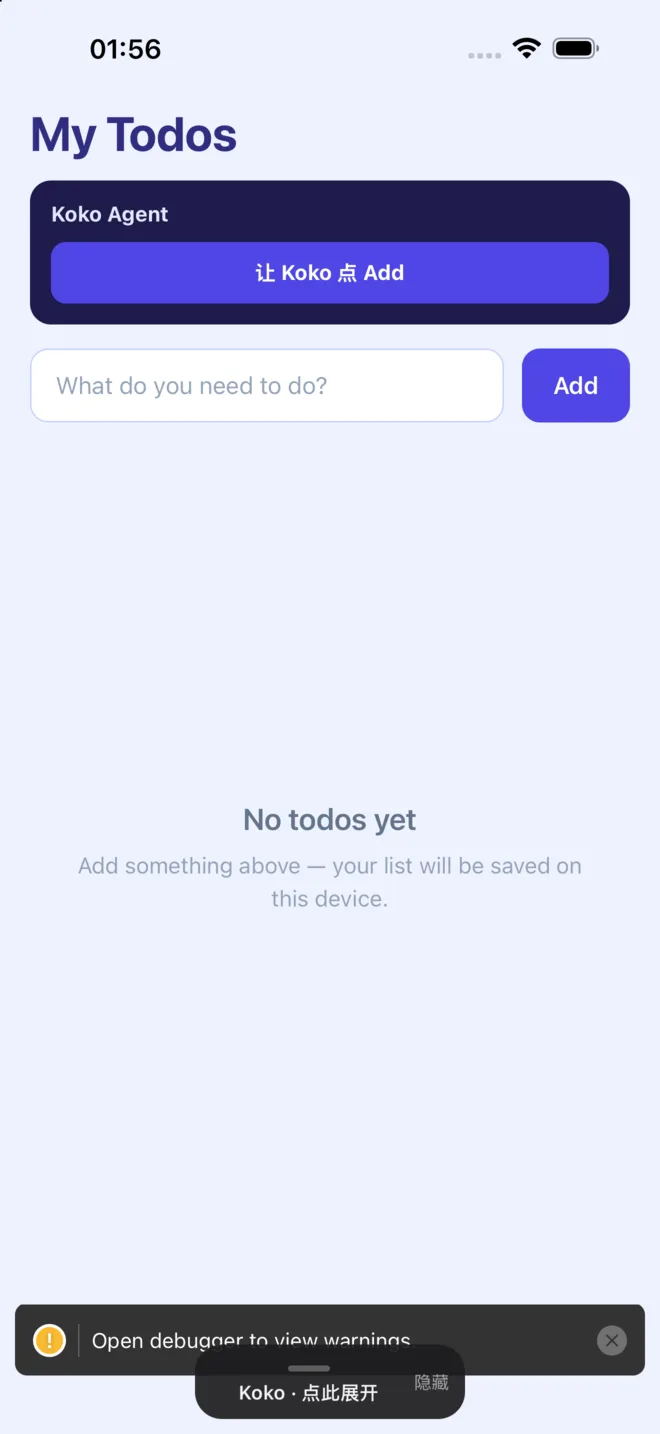
One sentence from the user, many steps completed in-app.
An on-screen cursor, progress and chat — users can watch and stop anytime.
Payments, approvals and other sensitive steps can require confirmation.
Name, color, icon and copy adapt to your product. English and Chinese built in.
Install from npm, run pod install on iOS; Android autolinks.
Put KokoProvider at the root and pass your app token.
As a native module it needs a host rebuild (Expo Go isn’t supported).
https://sdk.intentcomputing.cnhttps://sdk.intentcomputing.netThe app token is an app / membership credential — not a DeepSeek or OpenAI key.